

POS System for Restaurant Chains: The Complete Hardware Guide for Multi-Location Operators
Running a single restaurant is hard. Running a chain is an entirely different discipline—one where a slow terminal at location #12 can cascade into a brand reputation problem by lunchtime. The right POS system for restaurant chains isn’t just a cash register; it’s the operational backbone that ties every location, every kitchen, and every customer touchpoint into a single coherent experience.
This guide is written for procurement managers, IT directors, and operations leads who are evaluating POS hardware at scale. We’ll cover what separates chain-grade POS from single-site solutions, which hardware components matter most, and how OCOM Technologies has helped global restaurant brands solve these exact challenges.
Why Restaurant Chains Need Specialized POS Hardware
A neighborhood café can get by with a tablet and a card reader. A 50-location fast-casual chain cannot. Here’s why the requirements diverge sharply:
Volume and uptime demands. A busy chain location may process 400–800 transactions per day. Hardware must handle thermal stress, continuous power cycling, and high-frequency touch input without degrading. Consumer-grade tablets fail within months under these conditions; commercial-grade POS terminals are engineered for 24/7 operation.
Centralized management. IT teams managing dozens or hundreds of locations need hardware that supports remote configuration, firmware updates, and diagnostics. Proprietary consumer devices often lock out this capability entirely.
Peripheral ecosystem consistency. Every location needs the same receipt printer, cash drawer, customer display, and kitchen display system (KDS) to ensure staff training transfers seamlessly between sites. Mixing hardware brands creates support nightmares.
Compliance and certification. Payment processing in multiple countries requires hardware certified to local standards—CE for Europe, FCC for North America, BIS for India, and so on. A chain expanding internationally needs a hardware partner who has already done this work.
Scalability without re-platforming. As a chain grows from 20 to 200 locations, the hardware procurement process must scale without requiring a complete system overhaul. Standardized SKUs, consistent lead times, and OEM/ODM flexibility are non-negotiable.
Key Features to Look for in a Chain Restaurant POS System
When evaluating POS hardware for a multi-location restaurant group, prioritize these capabilities:
Processing Power and OS Stability
Modern POS software—whether cloud-based or hybrid—demands reliable compute. Look for terminals running on stable, long-term-support operating systems with sufficient RAM (minimum 4GB for modern POS applications) and solid-state storage to eliminate mechanical failure points.
Modular Peripheral Support
The terminal is only one piece. A complete chain POS setup includes:
- Customer-facing display for order confirmation and upsell prompts
- Thermal receipt printer with fast print speeds (80mm/s or higher)
- Cash drawer with electronic release
- Barcode scanner for loyalty cards and packaged goods
- Kitchen Display System (KDS) to replace paper tickets
Self-Service Kiosk Integration
Quick-service and fast-casual chains are rapidly deploying self-order kiosks to reduce labor costs and increase average order value. Research consistently shows that customers order 15–30% more when ordering via kiosk versus a human cashier—largely because they feel less judged and take more time to browse upsells.
Ruggedized Design
Restaurant environments are hostile to electronics: heat, humidity, grease, and frequent cleaning with chemical agents. IP-rated enclosures, fanless designs (to prevent grease ingestion), and spill-resistant surfaces are essential for kitchen-adjacent deployments.
Multi-Currency and Multi-Language Support
For chains operating across borders, hardware must support local payment methods, currencies, and character sets without custom firmware builds for each market.
OCOM Products for Restaurant Chains
OCOM Technologies has been manufacturing commercial POS hardware since 2007, supplying 3,000+ customers across 165+ countries. As a China National High Technology Enterprise with ISO 9001 certification, OCOM’s product line is purpose-built for the demands of multi-location food service operators.
Desktop POS Terminals
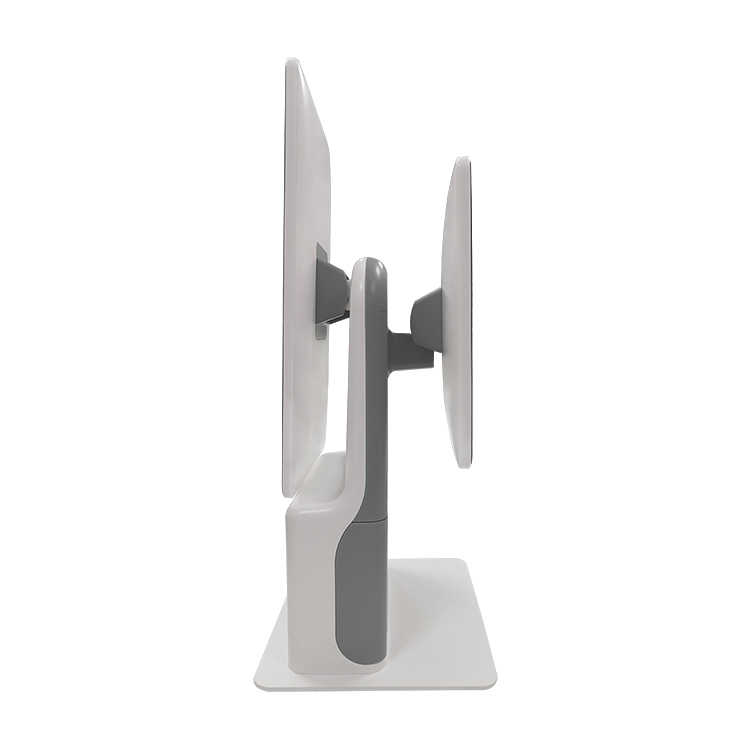
OCOM’s desktop POS terminals are the workhorse of the front-of-house operation. Built for continuous commercial use, they feature all-in-one designs that minimize counter footprint, projected capacitive touchscreens rated for millions of touch cycles, multiple I/O ports for peripheral connectivity (USB, RS-232, RJ-11, Ethernet), support for Windows and Android OS environments, and optional customer-facing second screens.
Kitchen Display Systems (KDS)
OCOM’s KDS solutions replace paper ticket systems with real-time digital order displays. For restaurant chains, this means instant order routing from POS to kitchen stations, color-coded urgency indicators to prioritize aging orders, bump bar or touchscreen interfaces for kitchen staff, grease-resistant high-brightness displays readable in bright kitchen lighting, and centralized reporting on kitchen throughput and ticket times.
Self-Service Kiosks
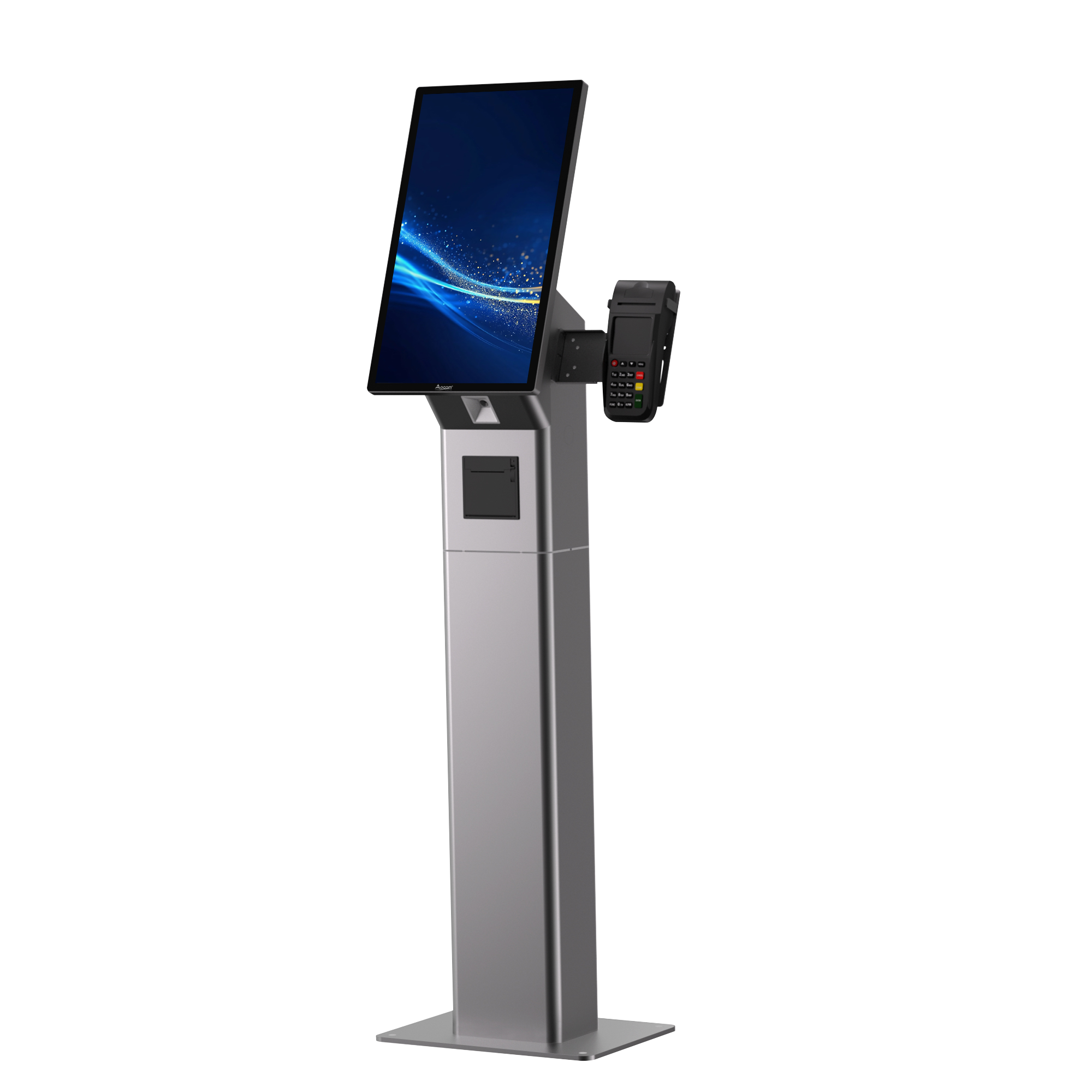
OCOM’s self-service kiosk lineup enables chains to deploy self-order stations that integrate directly with existing POS infrastructure. Available in floor-standing and countertop configurations, these kiosks support full menu display with high-resolution imagery, integrated payment terminals (card, NFC/contactless), receipt printing, loyalty program integration, and custom branding and enclosure options via OEM/ODM.
Real-World Case Study: O2 Czech Republic — 100,000+ Users, 10 Billion+ Transactions
One of OCOM’s most demanding deployments illustrates what chain-scale hardware must deliver. O2 Czech Republic deployed OCOM hardware as part of the national eKasa (electronic cash register) program—a government-mandated fiscal reporting initiative requiring reliable, certified POS hardware across tens of thousands of merchant locations.
The deployment serves 100,000+ active users and processes more than 10 billion transactions annually. This level of throughput demands hardware that simply does not fail. OCOM’s terminals met Czech regulatory certification requirements, maintained uptime across a geographically distributed deployment, and supported the fiscal reporting integrations required by law.
For restaurant chain operators, the lesson is clear: if OCOM hardware can sustain 10 billion transactions per year in a national fiscal infrastructure program, it can handle your busiest Saturday dinner service.
How to Choose the Right POS Hardware for Your Restaurant Chain
Selecting POS hardware is a long-term commitment. Here’s a practical framework for procurement teams:
Step 1: Audit your current pain points. Are terminals crashing during peak hours? Is kitchen communication breaking down? Are self-service options unavailable? Identify the top three operational problems you need hardware to solve.
Step 2: Define your peripheral requirements. List every device that needs to connect to the POS terminal at each location. Ensure your hardware vendor can supply the complete stack.
Step 3: Evaluate total cost of ownership (TCO). The terminal purchase price is typically 20–30% of the five-year TCO. Factor in warranty costs, replacement rates, support contracts, and the cost of downtime.
Step 4: Verify certifications for your markets. If you operate or plan to expand internationally, confirm that hardware carries the necessary regional certifications (CE, FCC, BIS, RoHS, etc.).
Step 5: Request OEM/ODM options. For chains deploying 100+ units, custom branding and configuration options can reinforce brand consistency and simplify staff training.
Step 6: Pilot before you scale. Deploy hardware at 2–3 locations for 60–90 days before committing to a full rollout. Measure uptime, staff feedback, and integration performance.
Frequently Asked Questions
What is the difference between a POS system and a POS terminal?
A POS system refers to the complete solution—software, hardware, and peripherals working together. A POS terminal is the physical hardware device (the screen and computer) that runs the POS software. When evaluating a POS system for restaurant chains, you need to assess both the software platform and the hardware ecosystem separately, as they have different replacement cycles and vendor relationships.
How many POS terminals does a typical restaurant chain location need?
It depends on service format and volume. A quick-service location typically deploys 2–4 counter terminals plus 2–4 self-service kiosks. A full-service restaurant may use 1–2 host/cashier terminals plus handheld devices for tableside ordering. High-volume locations may require additional terminals to prevent queue buildup during peak periods.
Can OCOM POS hardware integrate with third-party POS software?
Yes. OCOM hardware is designed to be software-agnostic. Terminals run standard operating systems (Windows, Android) and support standard communication protocols, enabling integration with leading POS software platforms. OCOM also provides SDK and API documentation for custom integrations.
What certifications does OCOM POS hardware carry?
OCOM products carry ISO 9001, CE, FCC, RoHS, BIS (India), Soncap (Nigeria), and POA certifications, among others. Specific certification availability varies by product model. Contact OCOM at [email protected] to confirm certification status for your target markets.
What is the typical lead time for a large chain deployment?
Lead times depend on order volume, customization requirements, and destination. Standard configurations typically ship within 4–6 weeks. OEM/ODM projects with custom enclosures or firmware require additional lead time. OCOM’s team works with procurement managers to develop deployment timelines that align with rollout schedules.
Ready to Standardize Your Chain’s POS Hardware?
OCOM Technologies has supplied POS hardware to Fortune 500 companies, national fiscal infrastructure programs, and fast-growing restaurant chains across 165+ countries. Whether you’re standardizing hardware across existing locations or equipping a new market expansion, OCOM’s team can help you specify the right terminal, peripheral, and kiosk configuration for your operation.
Visit szocom.com to explore the full product lineup, or contact our team directly at [email protected] to request a quote or product samples.